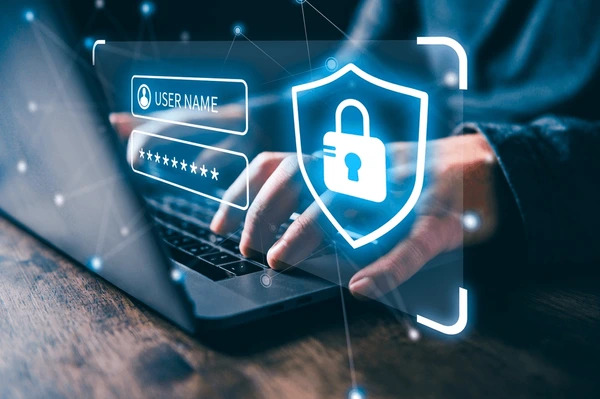
Passwords have been part of online life for years, but they are also one of the weakest points in account security. People often reuse passwords, choose ones that are easy to guess, or are tricked by phishing scams into revealing their login details. Stronger forms of authentication, such as passkeys and password managers, help verify your identity more securely and reduce the risks that come with relying on memory, weak passwords, or reusing the same login details across different website.
If a website or app offers a passkey, it is usually a good option to use it. If passkeys are not available, a password manager can help create and store strong, unique passwords for each account.
Passkeys
What is a passkey?
A passkey is a modern way to sign in without needing a traditional password. Instead of relying on something you have to remember, your device creates a secure pair of digital keys for the website or app. One part stays on your device and the other is stored by the service. When you sign in, your device proves it is really you, usually using your fingerprint, face recognition, or PIN.
Why are passkeys more secure?
- They help stop phishing because your device will only use the passkey with the genuine website or app it was created for.
- They are unique to each service, so a problem with one website does not put your other accounts at risk.
- A website breach does not expose a reusable password, because the secret stored by the website cannot be used to sign in elsewhere.
- They are quick and convenient to use, often relying on the same fingerprint, face scan, or device PIN that you already use to unlock your device.
Are passkeys replacing passwords completely?
Not yet. Many websites and apps still use passwords, but passkeys are becoming more common and are being supported by major technology providers and online services. They are increasingly seen as the future of authentication because they are both easier to use and harder for criminals to misuse.
Password Managers
What is a password manager?
A password manager is a secure place that stores your usernames and passwords for websites and apps. It is like a vault that stores your digital assets, keeping them secret and safe while providing easy access when you need it. It can also help generate strong, unique passwords, so you do not have to remember dozens of different logins.
There are two main types:
- Password managers built into your device: provided by your browser or device, such as those in Chrome, Safari, Edge or Firefox.
- Downloaded password managers: provided by a separate company and often available across different browsers and devices.
Why use a password manager?
Using a password manager helps you avoid common password mistakes such as reusing the same password on multiple accounts or choosing weak passwords that are easy to guess. Reputable password managers store password data securely, using encryption, device security features, and biometric checks before revealing saved login details.
Things to consider with password managers
- For accessing the password manager, create a strong master password that you do not use anywhere else.
- Turn on multi-factor authentication (MFA) for the password manager account if it is available.
- If you choose to download a password manager, pick one with a good reputation and strong security track record.
- Remember that if someone gets access to an unlocked device, they may be able to access saved passwords, particularly on laptops or desktop browsers. Make sure that you keep your devices locked and up to date.